Troubleshoot an App
One of the major benefits of using BIG-IQ Centralized Management is that it enables you to quickly identify the root cause of application performance or security issues—for example, 404 errors, slow app response time, and single/massive attacks. And that means greatly reducing the mean-time-to-innocence and resolution for all
teams involved.

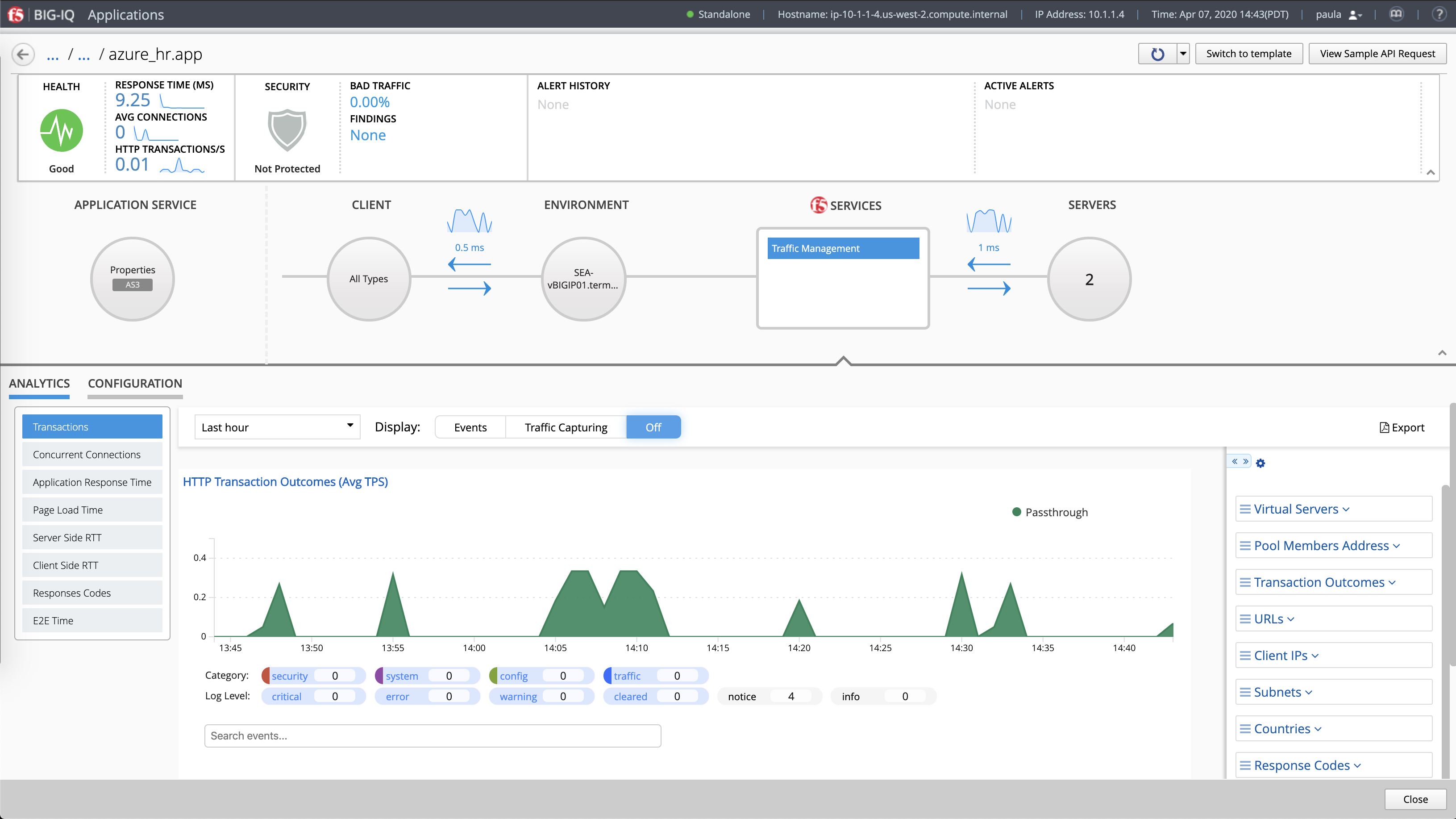
Here we see the app drilldown view for “hr.app.azure.” In this scenario, you, as the app
owner, have been notified
of a 404 erroroccurring on
an HR webpage.
In order to resolve the error,
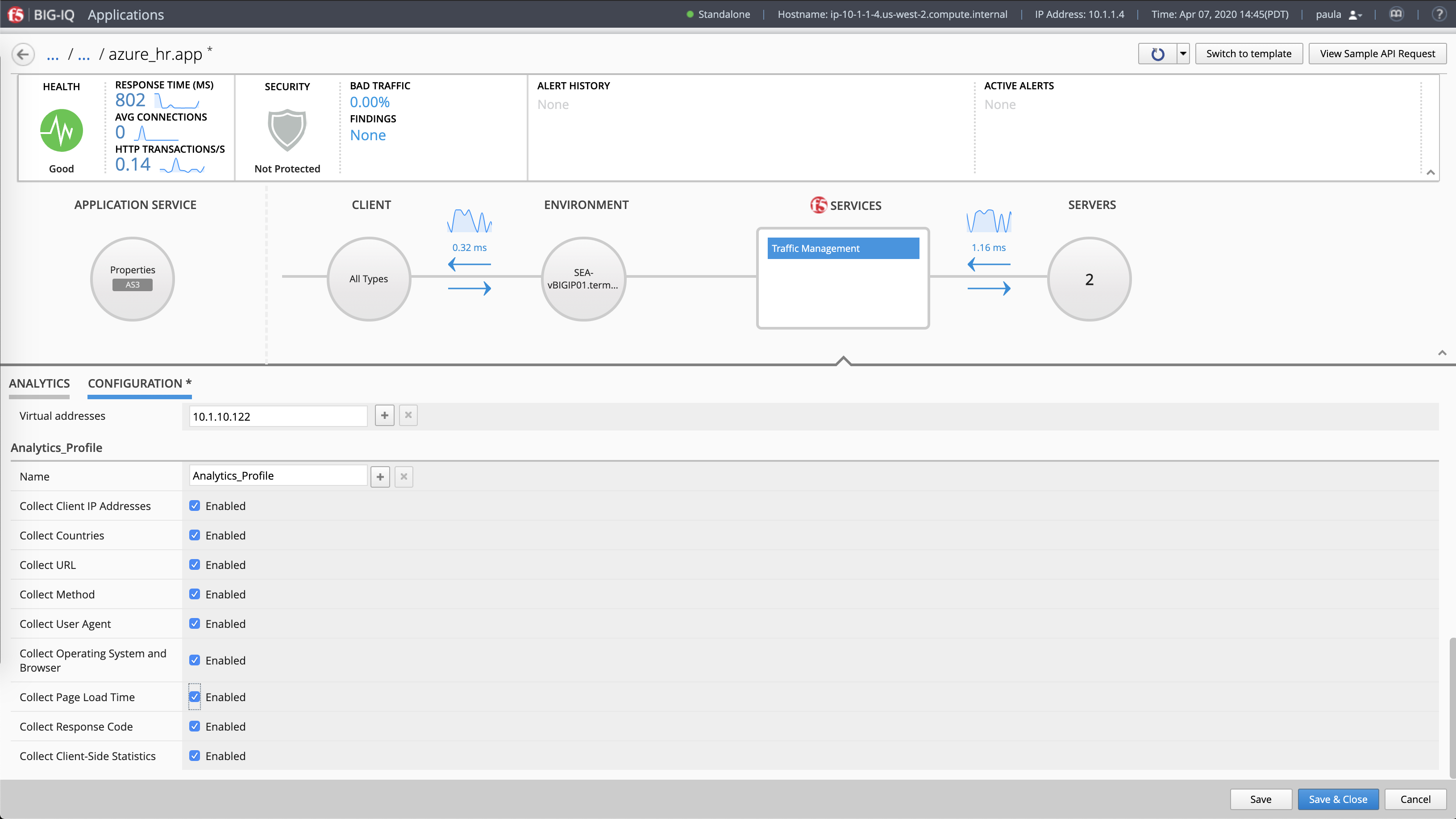
you can enable additional troubleshooting metrics by clicking on ”Configuration”
to open the menu.
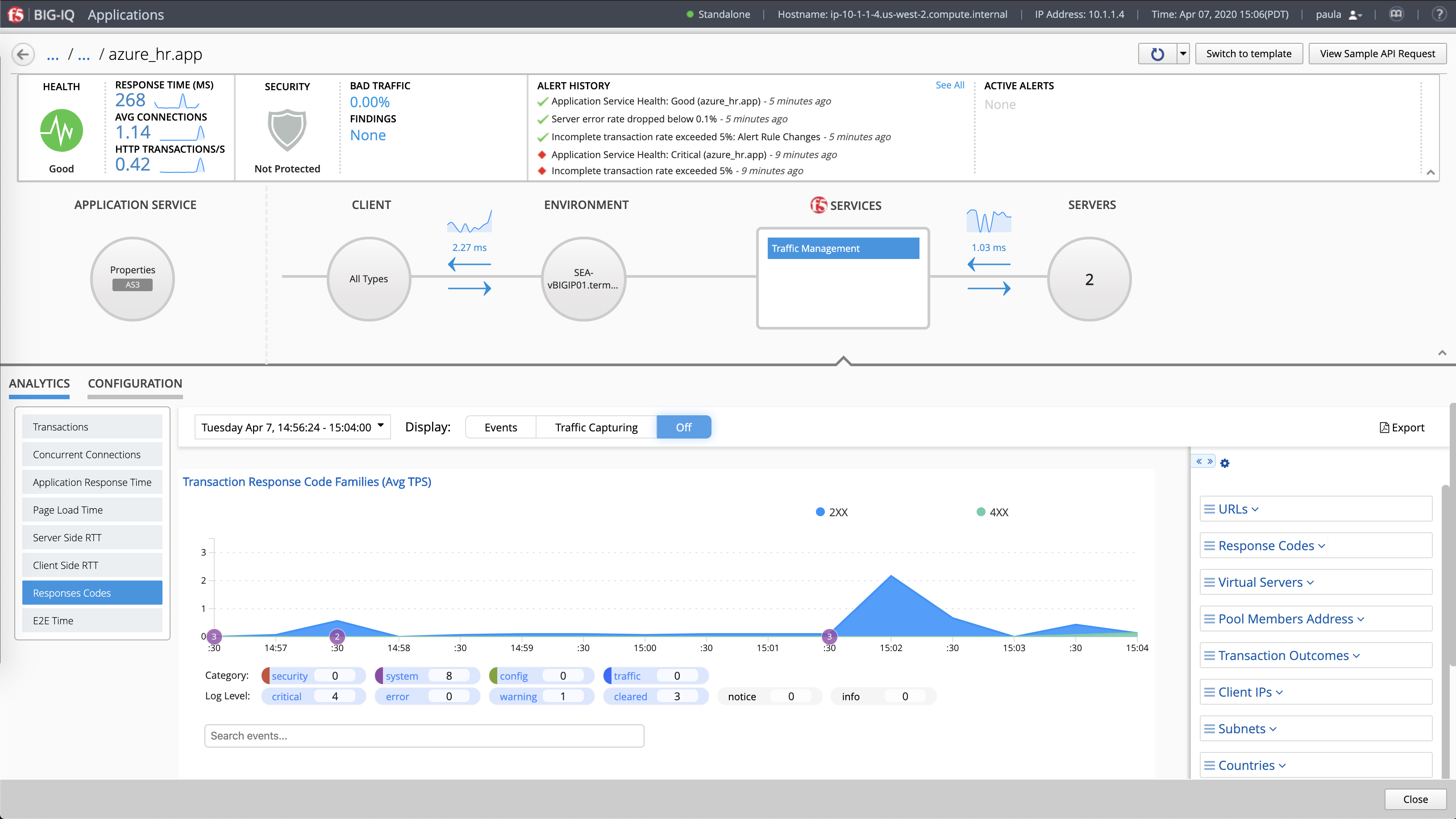
While in the analytics view, click on “Response Codes.”
As you can see on the timescale, the 400 errors started at 15:04.
Use the categories on the righthand side help you further narrow down
the problem.
Here is where you can enable what metrics you collect as part of your analytics profile for general troubleshooting. These analytics provide rich insight into app health and performance.
Check boxes for the components into which you want deeper visibility and click “Save.”

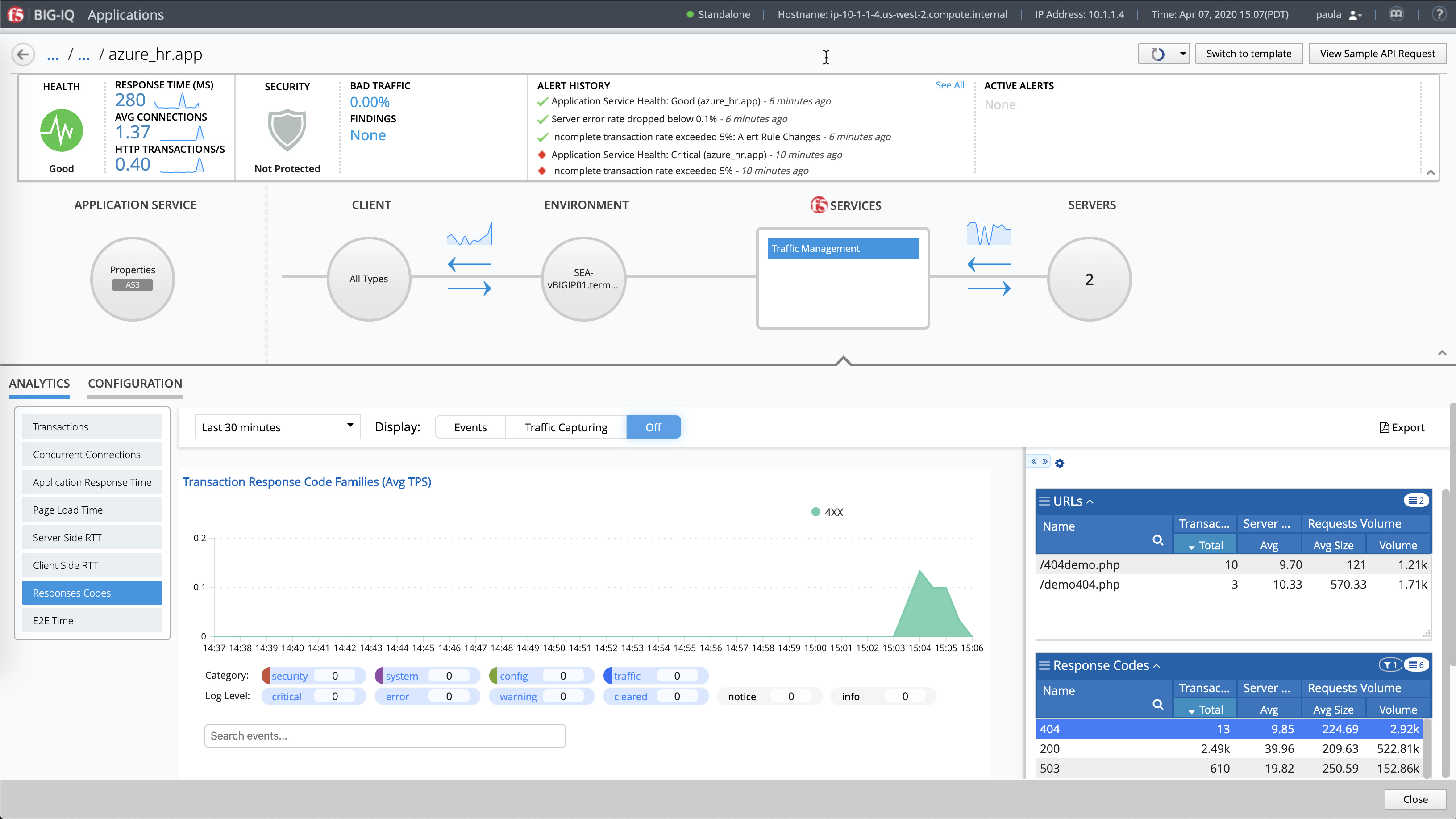
The “URLs” and “Response Codes” categories identify the 404 error you were alerted about—in this
case, a bad link.
Armed with this information, the appropriate teams can take action.



Want more? Schedule a live, personalized demo with an
F5 expert over Zoom by clicking
the button below.
Schedule a live demo


Find ways to more effectively and efficiently collaborate via a walk-
through in your teammate’s shoes.
Get the Network Engineer
Experience
Start now >
You’ve experienced just a fraction of what’s possible with F5 BIG-IQ Centralized Management. Now, you can go more in-depth with a live demo, experience the demo through the lens of an app dev, or both.
Well done!

Get started >