With BIG-IQ Centralized Management, you can take an app-centric approach to application delivery and security. That means advanced visibility and analytics into the application health and performance on a per-app basis across environments.
This 360-degree view makes troubleshooting a little less troublesome.
Using Analytics to Troubleshoot Apps
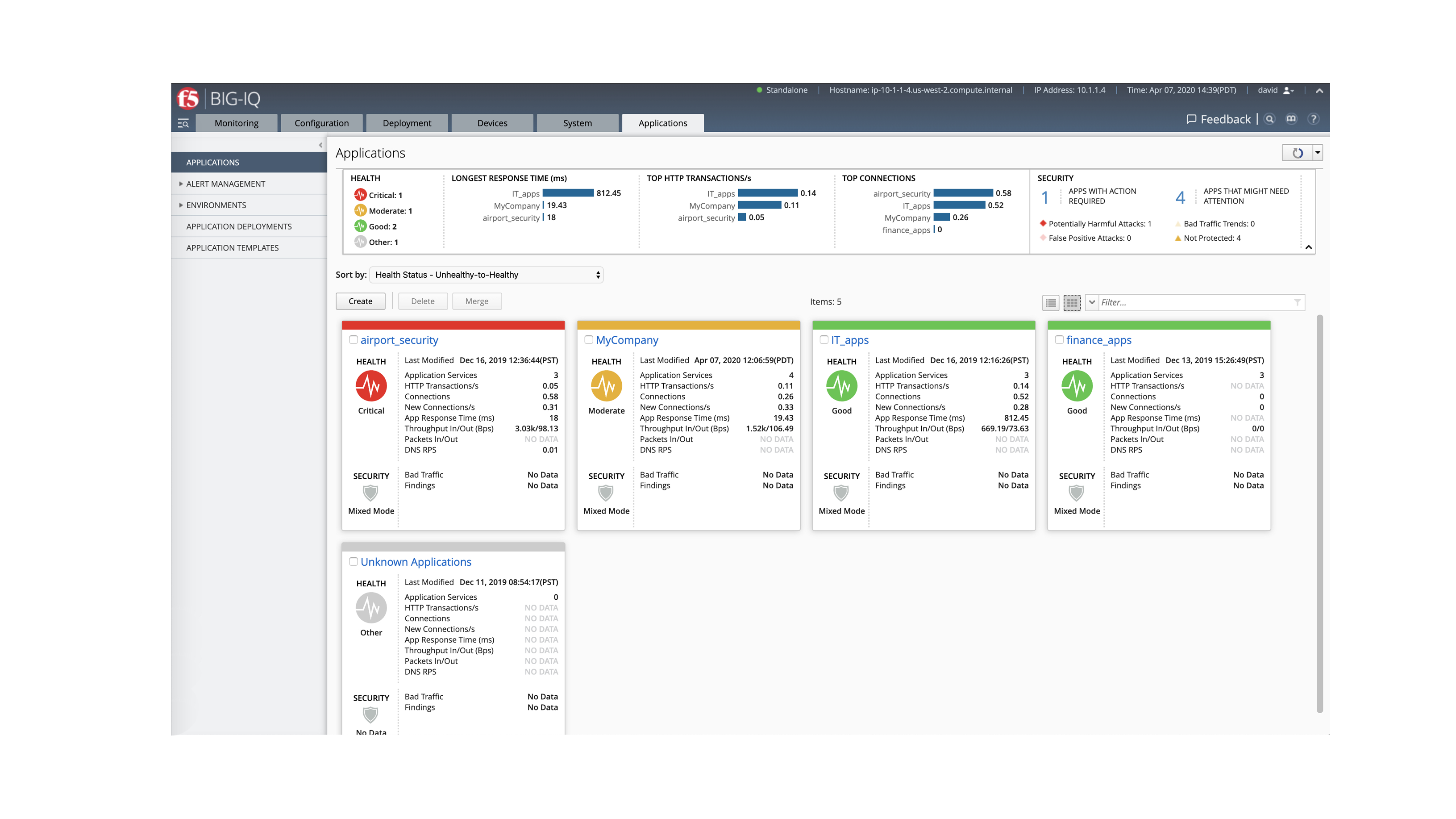
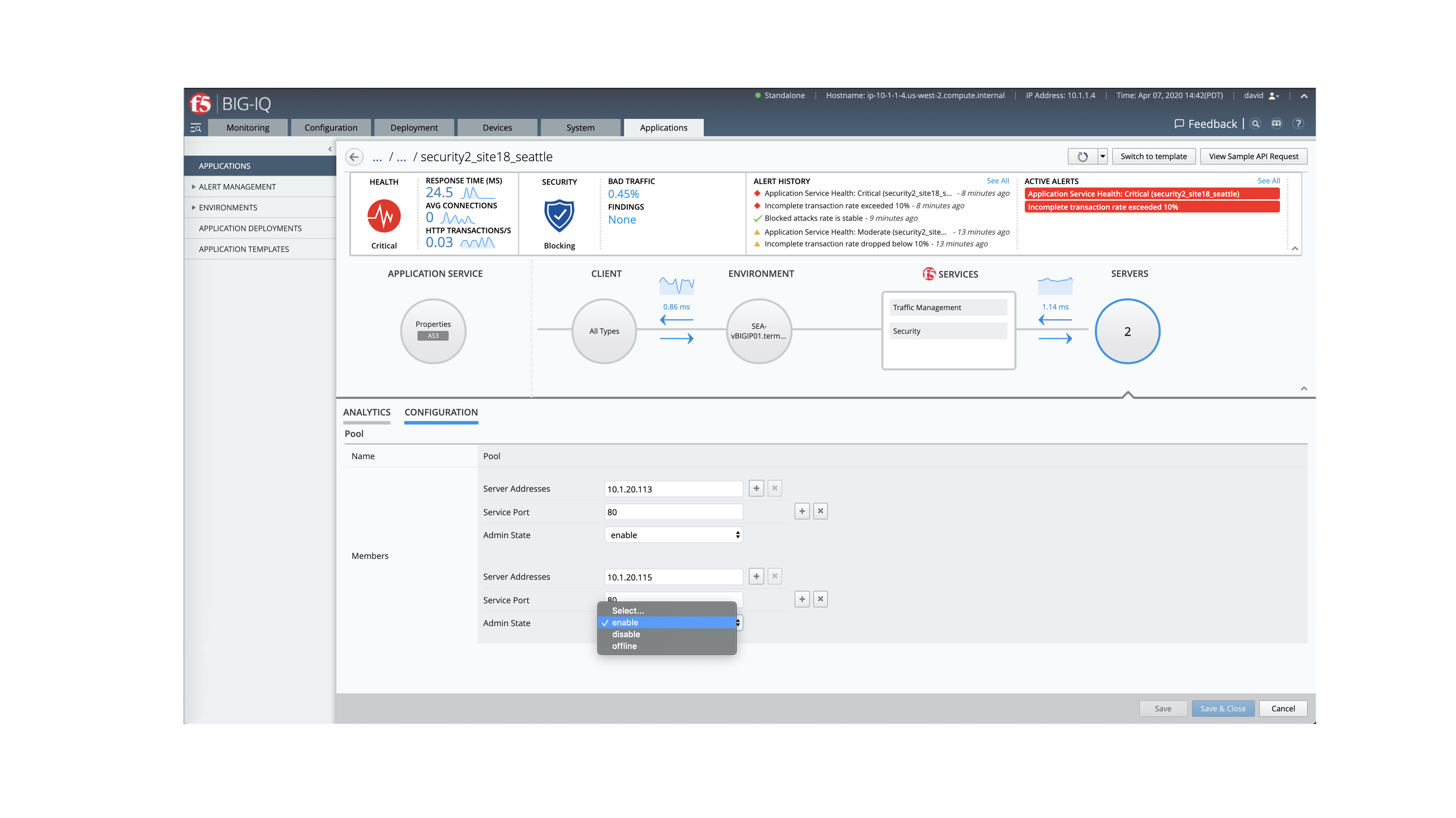
In the “Applications” tab, you can view your application dashboard and check the performance and health of your apps. As the network admin, you have visibility into every application service, unlike the app owner.
Click on an app service to see a detailed view.
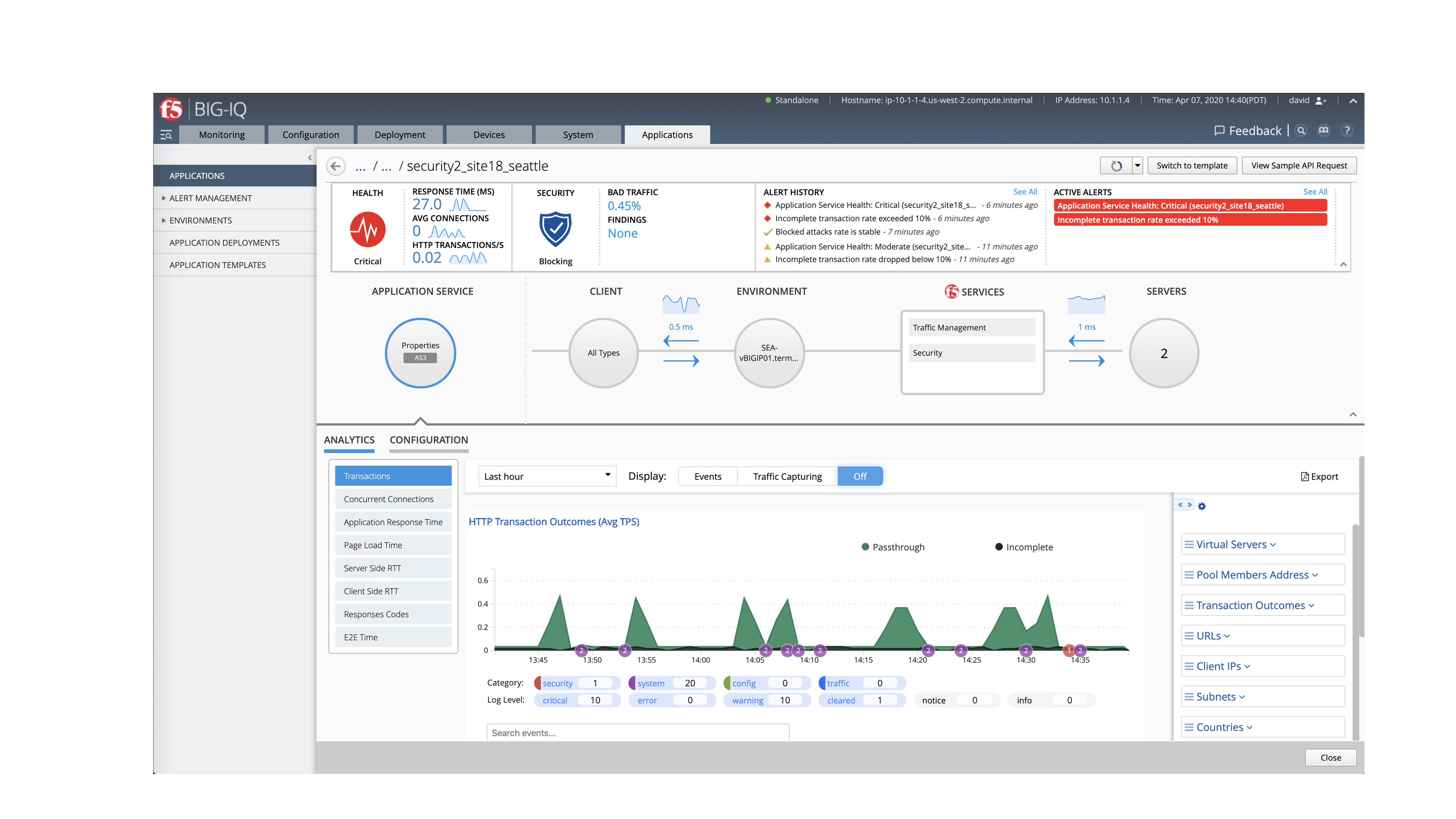
Now that you've identified the problem,
click on "Configuration" for more detail
or to disable or force the problem server offline—isolating the underperforming
server while you remedy the problem.
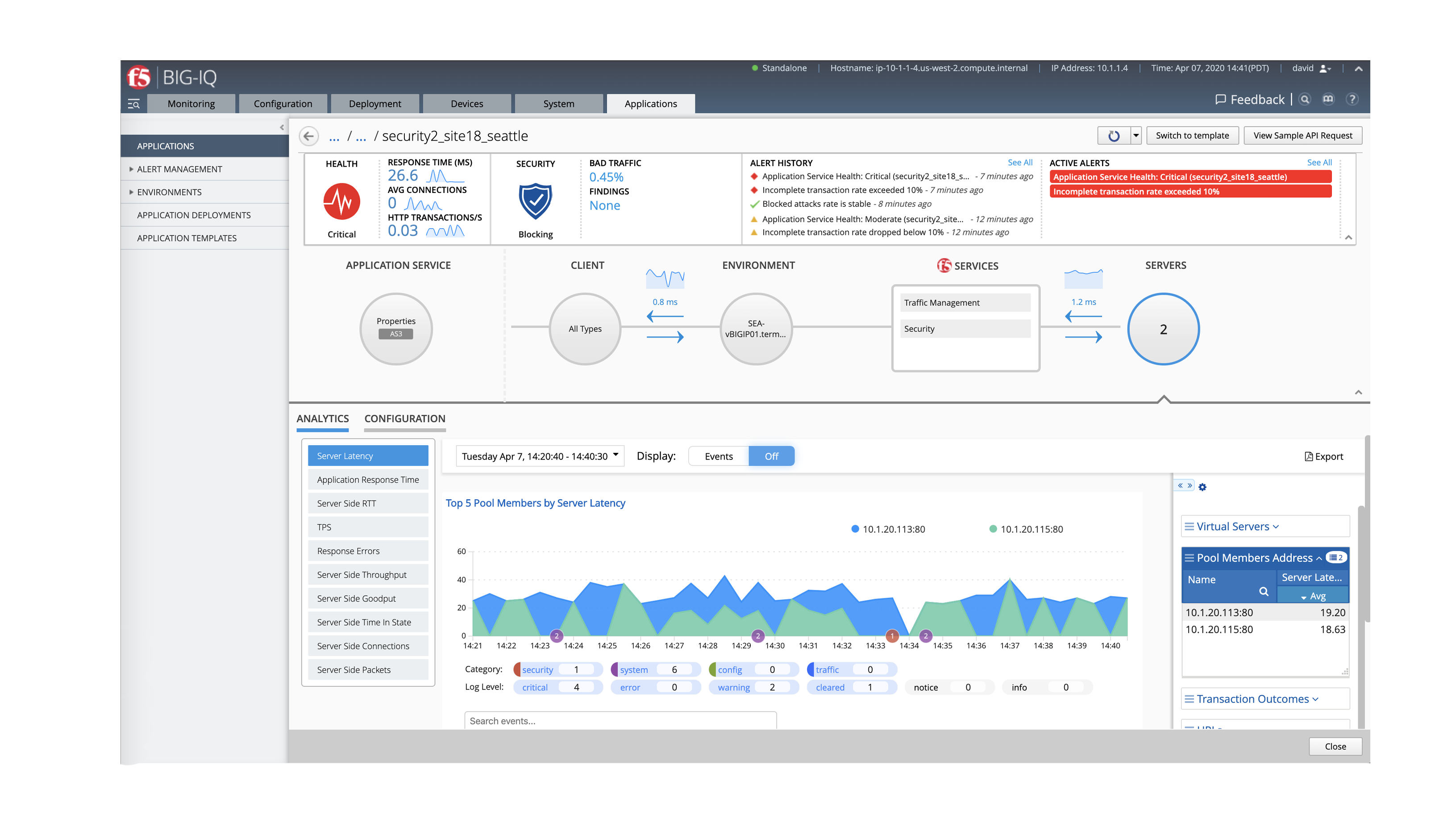
To quickly troubleshoot the source of the problem click the "Server" icon. Here, you
can see that application server "10.1.20.113:80” (shown in blue) is performing sub optimally.
This is the drilldown view
of an application service.
You can see from the alerts on the top right that there
are problems with both the security and performance
of the application.
Want more? Schedule a live, personalized demo with an
F5 expert over Zoom by clicking
the button below.
Schedule a live demo
Well done!


Get started >


Find ways to more effectively and efficiently collaborate via a walk-
through in your teammate’s shoes.
Get the App Dev Experience

You’ve experienced just a fraction of what’s possible with F5 BIG-IQ Centralized Management. Now, you can go more in-depth with a live demo, experience the demo through the lens of an app dev, or both.
Start now >