
- Lorem Ipsum, Dolor Sit Amet
Montes sunt pede lectus! Quidem wisi? Animi pulvinar parturient? Perferendis? Recusandae torquent, vel habitasse veniam! Lectus aute dicta ea condimentum.
- Lorem Ipsum, Dolor Sit Amet
Tellus facere quaerat recusandae corrupti? Etiam, officia tempus, morbi ipsum, nisi totam. Lacus voluptates, error malesuada porttitor commodo minim voluptatum, fugit!

Scroll down

The hotspot "on view - cycle next number (0% to 19%)", located above the large numbers on the canvas, has an On View Cycle – Next interaction. This interaction triggers the slideshow to continuously cycle through the text layers in the group "0% to 19%" at a .01 sec rate. Once it cycles through all the text layers, the last layer in the group is an additional hotspot "on view - stop cycle" which has two interactions applied to it. The first interaction shows the last text layer, "19%". The second interaction hides the "on view - cycle next number (0% to 19%)" hotspot to prevent it from cycling through the group again.
To replace an image, select the png or jpeg on the canvas or in the layers panel and click the "Replace image" button, which is next to the image thumbnail in the design panel. Any applied animations, interactions, image edits, or object states to the original image will carry over to the new one.
Tip: Try to make the new image a similar size and dimension to the image being replaced.
Object states give you the ability to assign various “states” to an element on the canvas. You can also apply object states to images that have been masked to create some really unique effects. In this example the image has a default state and a hover state. In the hover state, the image increases in size. The image is masked to the rounded square shape. Thus, when the user hovers over the image it looks like the image is zooming in as the image is constrained to the masked rounded square shape.
Remove the background of images by simply right clicking on an image and selecting “Remove Background.” In a matter of seconds, the foreground will be detected, and everything else behind it will disappear automatically, leaving behind an image with a completely transparent background.
Masking assets in the studio allows you to transform images and GIFs into virtually any shape you want. To mask an image, place a shape over the image on the canvas. This can be a standard shape (circle, square, triangle) from the Ceros shape tool, or a custom shape you’ve created using the path tool. You can also use PNG images and SVG Icons as masking objects as well. Then, select both the masking shape and original asset by holding down shift and clicking on both objects on the canvas or in your layers panel. With both objects selected, right click and select “Create Mask” from the right click menu. Your original asset will be cropped into the masking shape that you’ve applied.
Create an engaging and interactive landing page to display features using object states, masks, and blending modes.
Template - Professional Services Landing Page
1280px x 2050px

The "On Click- Cycle Next/Previous" interaction triggers the carousel to cycle to the next asset or group of assets in a designated folder or group.
JUNE 2024
©2024 Hudson Insurance Group. The information contained in this newsletter is for general information only and shall not modify the terms of any insurance policy.
Wallace Moreman
William Lane
Paul Morrison
Andrew Thompson
Jamie Curcio
Charlie Tasto
Senior Vice President
Risk Engineering Manager
For any additional questions, please do not hesitate to reach out to anyone on our team.
Risk Engineering Manager
Senior Claims Specialist

The Importance of Understanding Your Subcontractor's Business Structure
Subcontractors are becoming increasingly more sophisticated in deploying their capital. As market conditions shift, so does their approach to managing risks – both at the project level, as well as in the administration of their business.
READ MORE
Your Project Schedule is its Roadmap to Success - Be Objective About its Health!
Compression and poor-schedule management are the foundation of many claims and continue to be a point of friction when defaults occur.
READ MORE
Have a subcontractor in default? File a notice of potential claim online. This is not required and the existing form filing process will be accepted.
2024 Quality Peer Conference
Article Hub
Senior Loss Control Risk Manager
Senior Loss Control Representative

July 2022 | November 2022 | January 2023 | June 2023
In this Issue:
A Note from the Underwriting Desk
The Importance of Understanding Your Subcontractor's Business Structure
Your Project Schedule is
its Roadmap to Success
Email
Email
Email
Email
Email
Email






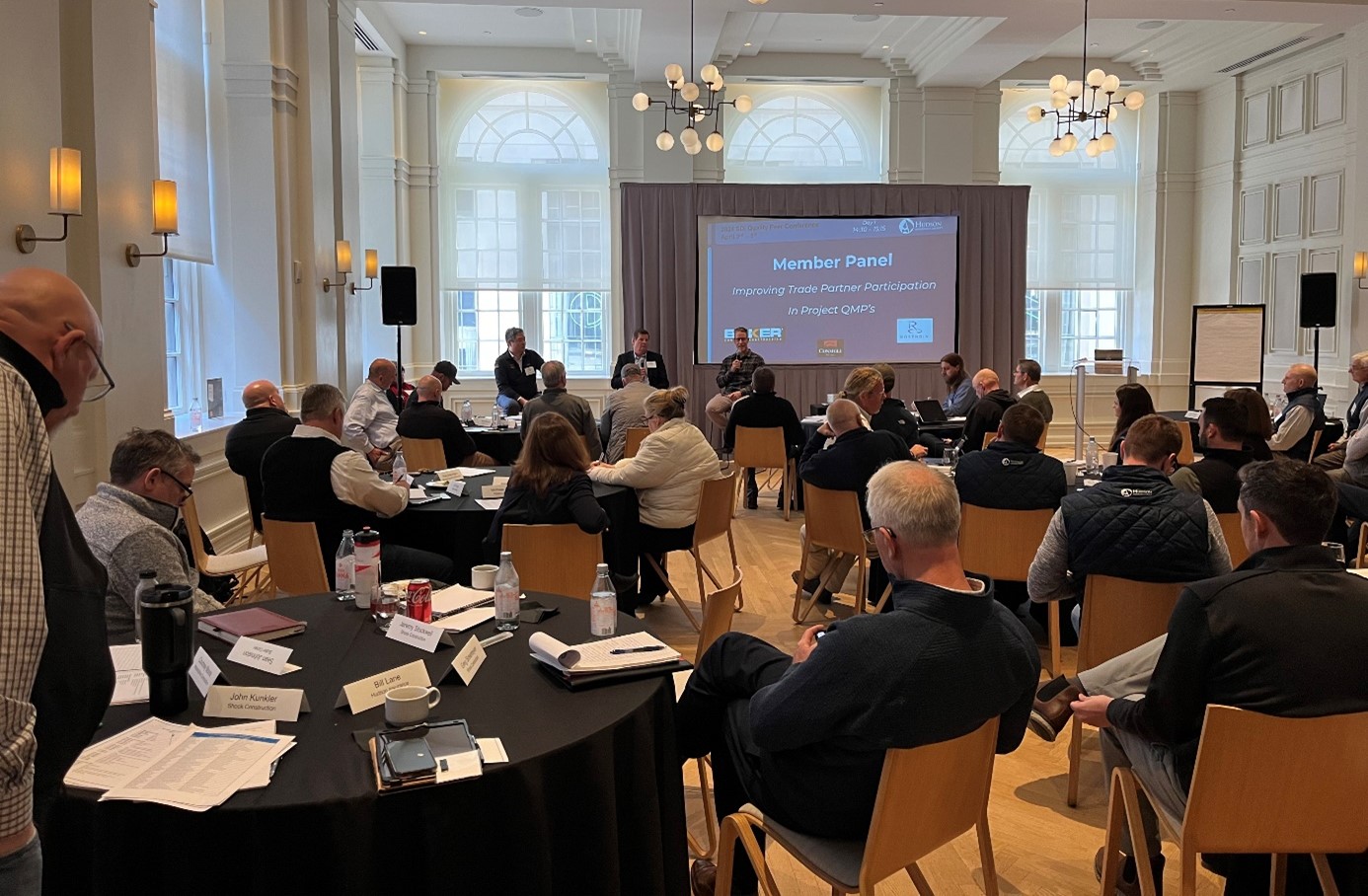
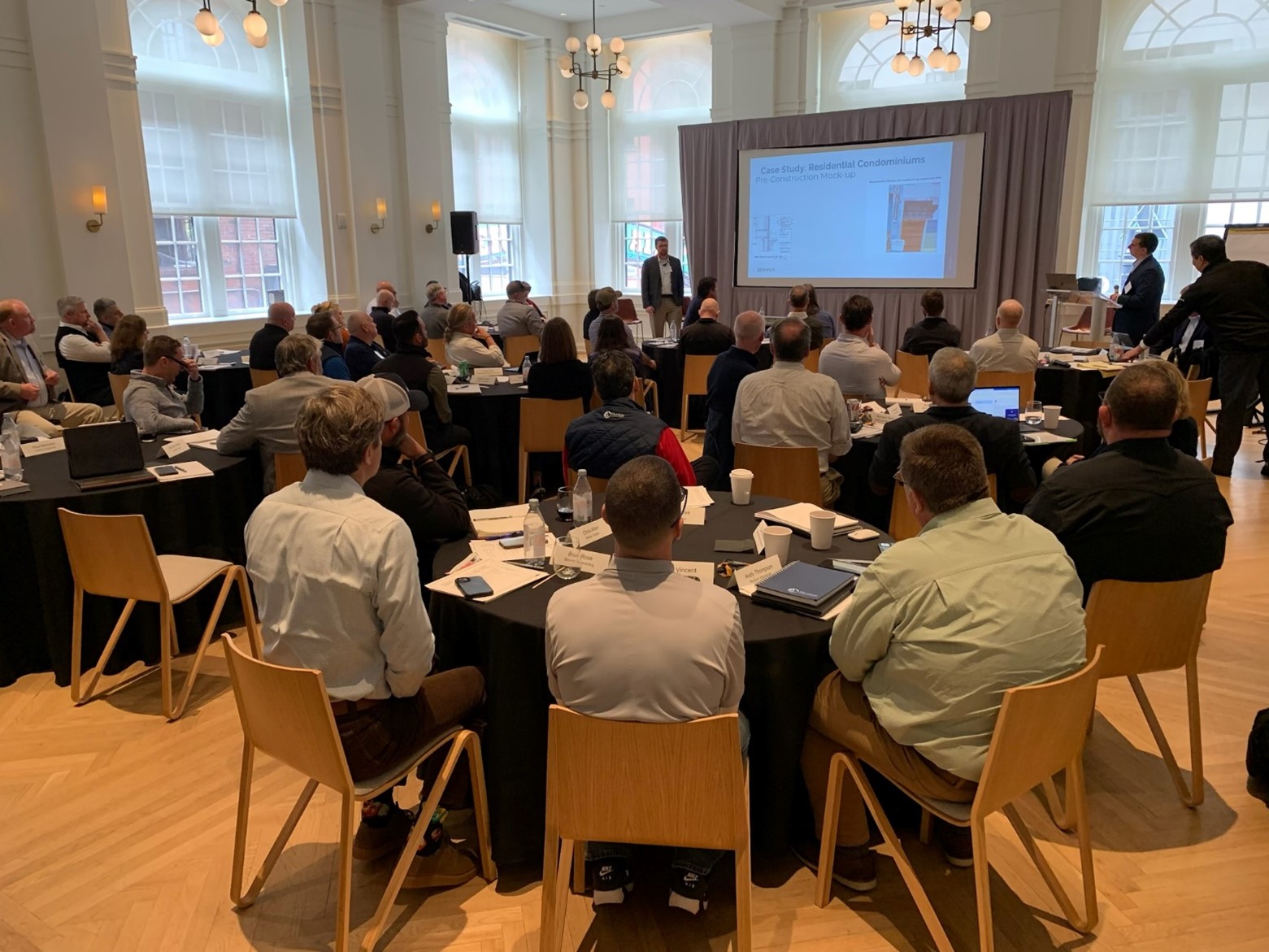
Hudson Insurance Group recently hosted its 3rd Annual Quality Peer Conference at the Hotel Noelle in Nashville, TN. Participation was intended to share industry best practices in raising the quality assurance and control efforts of the construction industry, and provide thought leadership and idea sharing on how contractors are improving the outcomes of their projects. Nonconforming work and rework are areas that have long been a SDI loss leaders.
In addition to the two-day agenda packed with break-out and working group sessions, the group broke away and enjoyed a singer-songwriter dinner at the Johnny Cash Museum. Thank you to all who attended!
The first quarter of 2024 was filled with mixed sentiments from the marketplace. While confidence remains that the construction industry will not have a significant downturn, the AIA/Deltek Architecture Billings Index (ABI) reported a score of 43.6 for the month of March, indicating business conditions continue to soften for architecture firms. This marks the 14th consecutive month of declining billings at firms as inflation, supply chain issues and other economic challenges continue to affect business. The ABI score is a leading economic indicator of construction activity, providing a nine-to-12-month glimpse into the future of non-residential construction spending activity.
That said, we are seeing an increase in claims notices related to financial pressures on subcontractor balance sheets (declining cash, high use of credit, etc.). Combine this with subcontractors who are likely to become more aggressive in their pursuit of projects due to fear their pipeline of opportunities is going to decrease and the industry is facing an impending period of increased insolvency. It is therefore imperative that you remain disciplined in your subcontractor-selection decisions. Prequalification results and risk mitigation must be utilized, with NO EXCEPTIONS made. You cannot have an exceptional business by making exceptions. Trust your prequalification information and let it drive the decision and any corresponding risk mitigation or avoidance.
SDI
Newsletter
A Note from the Underwriting Desk





View Our Past Newsletters


Underwriter
Lisa Spinello
Email
Executive Underwriter
Michele Schultz
Email

Senior Underwriter
Brenden Lee
Email