A digital gateway to your investments.
Why use MyRathbones?

How to get started?
It couldn’t be easier to get up and running with MyRathbones.
Check your emails for your temporary login details, visit MyRathbones.com and you’ll be guided through these simple steps:
WHAT IS THE SAME?
— View your portfolio, including transactions and holdings, along with their value over time.
— Access important documents such as valuations, tax packs and contract notes.
SIMPLE STEPS TO FOLLOW

My Rathbones


4
3
2
1
7
6
5

Mail
Weather
Maps
News
Clock
Note
Photo
List
Please click on the ‘MyRathbones App’ on the mobile phone to see next steps.
Enter your temporary username and password (valid for 14 days). Next click "Sign in" button.
2612879535
**************
**************
Create a new password — this will automatically prompt you to select your preferred authentication method to generate a six-digit authentication code.
After that click "Next" button.
**************

John Smith
Create a username that you will use in future when you log in. After that click "Next" button.

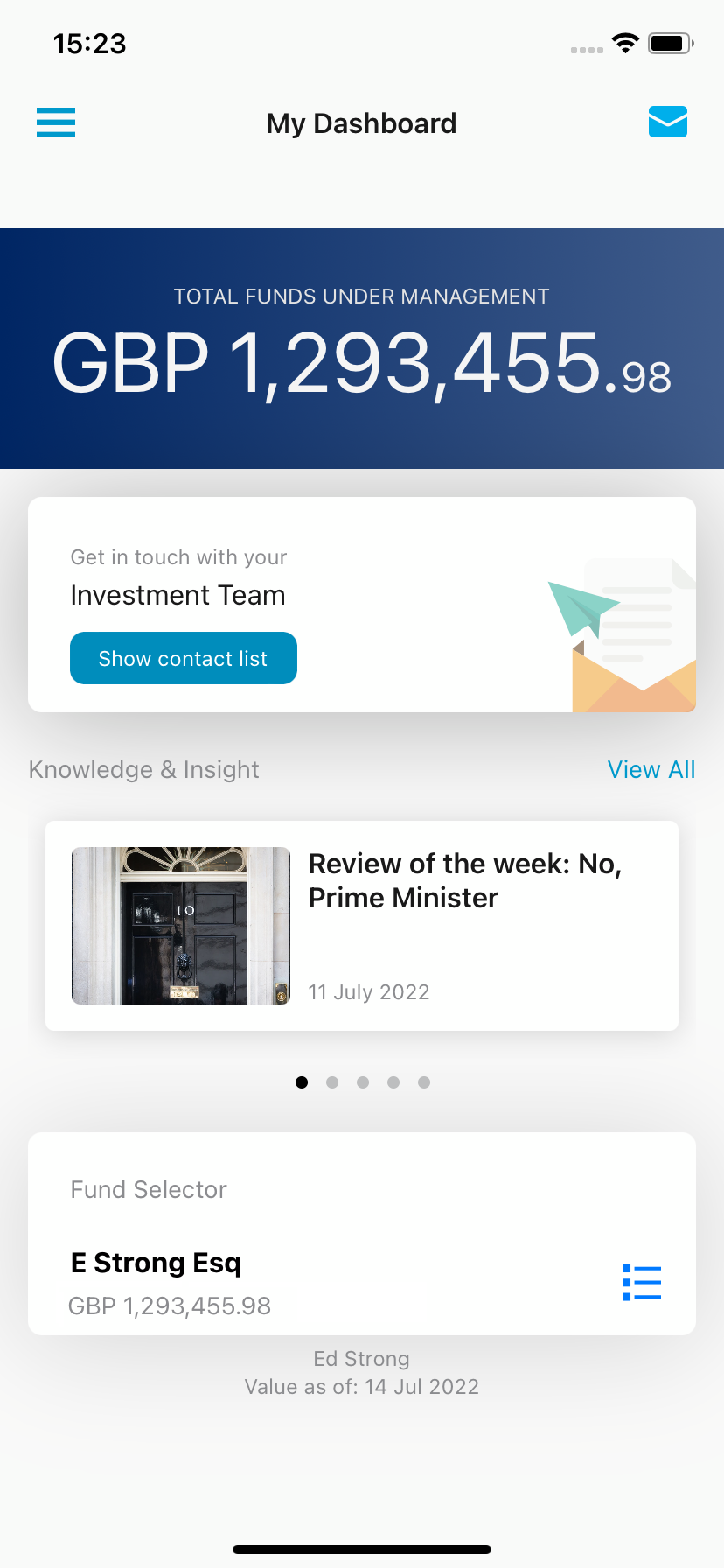
You are now ready to use MyRathbones.
Back to step 7
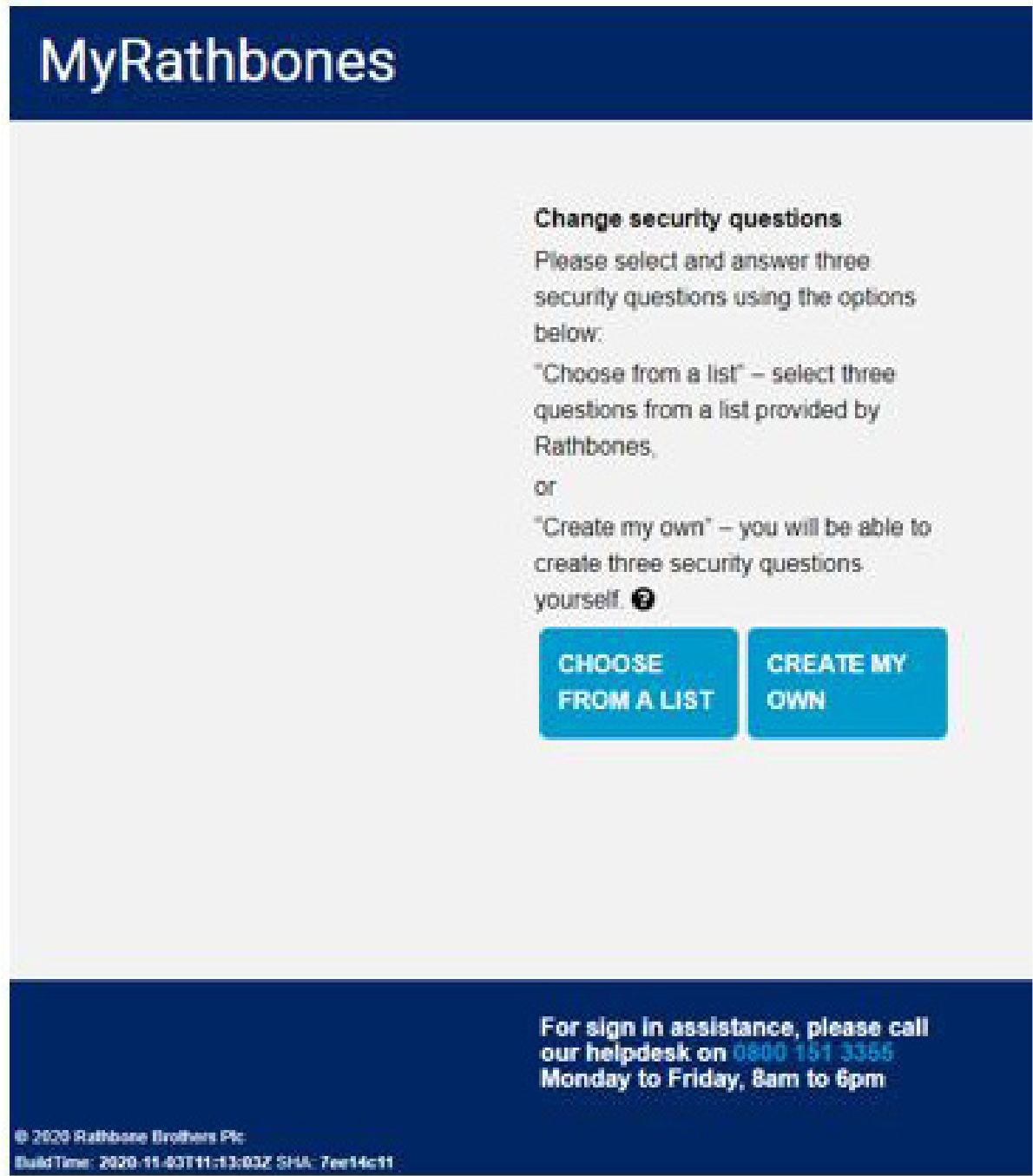
Select "Choose from a list" or "Create my own" and answer questions in case we ever need to verify your identity.
Review and Terms and Conditions. Next click 'Accept".


My Dashboard
Return
Back to step 6
Back to step 5
Back to step 4
Back to step 2
Back to step 1
MyRathbones App
1
Temporary username and password
2
New password
3
New username
5
Terms and Conditions
6
Security
questions
7
is ready!
MyRathbones
**************
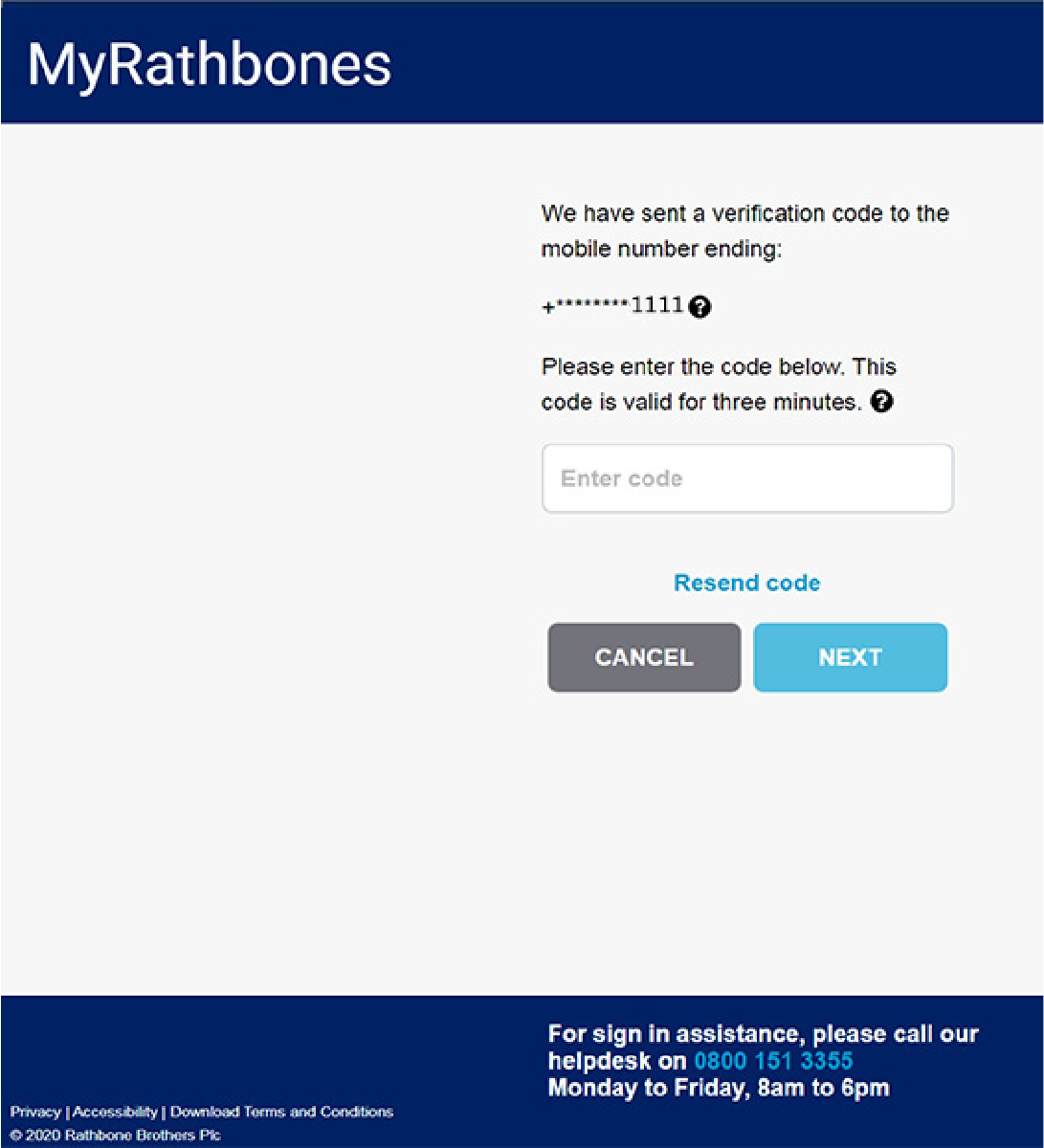
Authentication code
4
Enter the six-digit authentication code. After that click "Next" button.
Back to step 3



View your portfolio and transactions at any time. You have the power to personalise the view you see. Whether you want high level information or prefer to have visibility of every detail, the choice is yours.
Access your important documents including contract notes, valuations and tax packs in a convenient, centralised location.
Communicate with your investment management team via a secure message inbox.
View your future earnings calendar to gain sight of upcoming dividend and interest payments.

Register


You will need temporary credentials to login to MyRathbones at MyRathbones.com.
Once you receive these details via email, please login with in 14 days to avoid them expiring.
If you do not receive an email from Rathbones or your details have now expired, please contact the MyRathbones help desk on 0800 151 3355 Monday to Friday: 8am to 6pm (excluding bank holidays).
MyRathbones

What is my MyRathbones?
— Visibility of your future earning calendar to gain sight of upcoming dividend and interest payments.
— Capability to securely communicate with your investment management team via message.
WHAT IS NEW?
Providing an online companion to the relationship between you and your investment manager, you can access MyRathbones at any time via your laptop, desktop, tablet or smartphone app — whichever suits you best.
MyRathbones is your secure digital connection to Rathbones and your investments with us
If you have not received your temporary login details , or they have now expired, please contact our helpdesk on 0800 151 3355 Monday to Friday: 8am to 6pm (excluding bank holidays).




Available on smart phones, tablets, desktops, and laptops.
Take a quick look at how MyRathbones works for you — watch now.